
Built for Home Assistant | Controlled Locally | Zero Cloud Required

CloudFree is built on a simple idea: you should be able to run your smart home locally with Home Assistant. That means faster response times, stronger privacy, and a setup that keeps working even when the internet doesn’t.
Home Assistant’s new Z-Wave antenna (ZWA-2) will help to further achieve this goal by adding reliable, local Z-Wave control to your smart home, all without relying on a cloud.
What the ZWA-2 Does
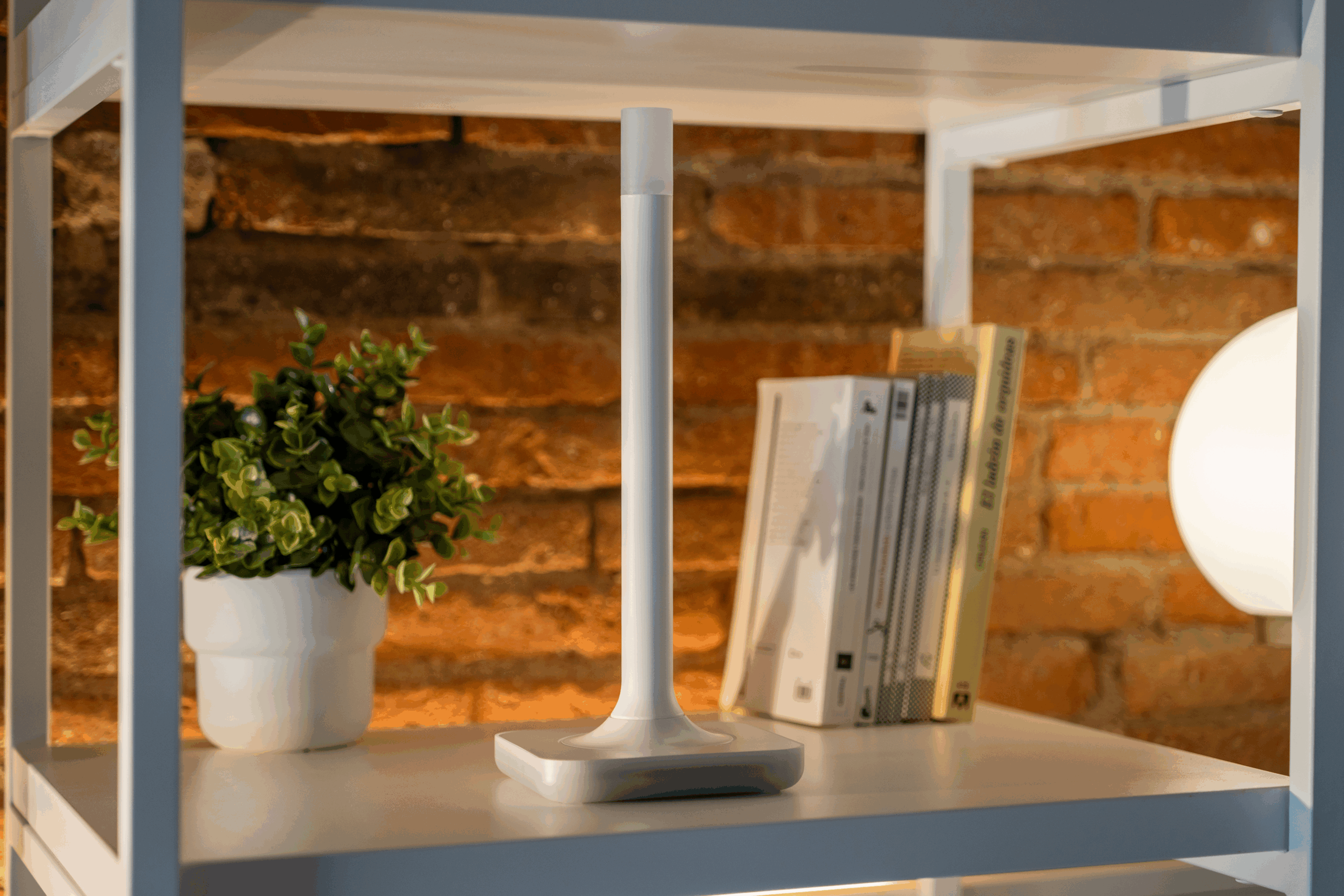
The ZWA-2 is the radio that lets your Home Assistant hub communicate with Z-Wave devices. It connects directly to your hub to provide a local wireless link for Z-Wave devices such as smart plugs, sensors, and switches. The large external antenna provides stronger signal quality and greater stability than typical USB Z-Wave sticks. With the ZWA-2, you don’t have to rely on one brand’s app or cloud service, and you don’t need a subscription just to use the devices you already own.
Why Local Control Matters
Local control matters because it keeps your data in your home rather than sending it to a third-party server, protecting your privacy. It also makes your system faster because commands are processed locally rather than having to communicate with a cloud. It is also more dependable as devices and automations can continue working even if your internet is down. Staying local also means your devices aren’t dependent on a company’s cloud, allowing you to avoid subscription changes or cloud shutdowns that would disable other products. That combination of strong local communication, a reliable radio signal, and long term-stability is exactly what makes the ZWA-2 so appealing.
Plug-and-Play Setup
Getting the ZWA-2 up and running is simple. Start by placing the base upright in an open area and attaching the antenna. Next, plug the antenna into your Home Assistant Hub using the provided USB cable. In your Home Assistant Dashboard, open Settings and add the Z-Wave JS add-on. Your hub should automatically detect the antenna. You can then add Z-Wave devices by scanning the QR code found on the device’s box.
The ZWA-2 supports both Z-Wave and Z-Wave Long Range simultaneously, giving you flexibility for hard-to-reach areas such as the edge of your property or outbuildings.
Note: while a local network is still required so that your phone can interact with your hub, an active internet connection isn’t required for normal operation. Updates and add-ons can be installed online when needed, but day-to-day automations run entirely locally.
Everyday Examples
Laundry Cycle Notifications
Pair the ZWA-2 with the Zooz 800 Series Smart Plug to detect when your washer’s power draw drops at the end of a wash cycle. Home Assistant can then send a notification to let you know it’s time to move clothes to the dryer. The ZWA-2 keeps your plug reliably connected so your automation runs smoothly, resulting in fewer forgotten loads.
Smart Climate Control
Add the Ductless HVAC Wi-Fi module to bring your mini-split into Home Assistant for simple on/off control. Then pair it with a Zooz 800 Series Open/Close sensor that’s attached to an exterior door. If the door is left open, Home Assistant can notify the Wi-Fi module to pause cooling automatically. With the ZWA-2 maintaining a stable Z-Wave connection, your system responds quickly to save energy and lower your electric bill.
Smart Lighting
Mount a Zooz outdoor motion sensor near your garage or front door to detect movement outside. Home Assistant can notify you when motion is detected or pair this sensor with a Zooz smart switch to turn on your outdoor lights automatically. Either way, the ZWA-2 ensures strong, consistent communication between your devices so your lights always respond when you need them.
Why Choose This Antenna over a USB Dongle
External antennas outperform compact USB dongles in two key ways. First, their larger size allows for greater range and stronger signal stability. Second, while plugging a USB stick directly into the back of a hub may save space, it can also hurt the radio’s performance. If you want a Z-Wave network that stays strong through thick walls and long distances, these details matter.
What You Need to Get Started
- A Home Assistant hub, such as the Home Assistant Green
- The ZWA-2 Antenna
- At least one Z-Wave device, like a smart plug or waterleak sensor
- Other smart devices to build your setup, such as temperature or vibration sensors
Once the ZWA-2 is connected, start with one or two simple automations and you’ll immediately notice the difference in speed and stability.
Add the ZWA-2 to Your Setup and Feel the Difference
The ZWA-2 strengthens the Z-Wave side of your Home Assistant setup, providing fast and reliable local control while keeping your smart home independent from the cloud. Its large external antenna improves range and signal stability compared to tiny USB stick dongles. Long Range support adds flexibility for devices in hard-to-reach areas, while plug-and-play setup makes it easy for both beginners and experienced users. Once installed, you can manage your automations locally with no subscriptions required. If you value privacy, speed, and a system that keeps working even when the internet does not, then add this antenna to your setup and feel the difference on day one.